.svg)

Single sign-on with Microsoft Entra ID
Microsoft Entra ID SSO
Microsoft Entra ID SSO lets users sign into Lynes with their Microsoft account. Built on Entra ID Sync, with org-wide or per-user activation from the admin panel.
SSO built on top of Lynes Entra ID Sync. Users log in with their Microsoft account, and admins control access at organization or user level.
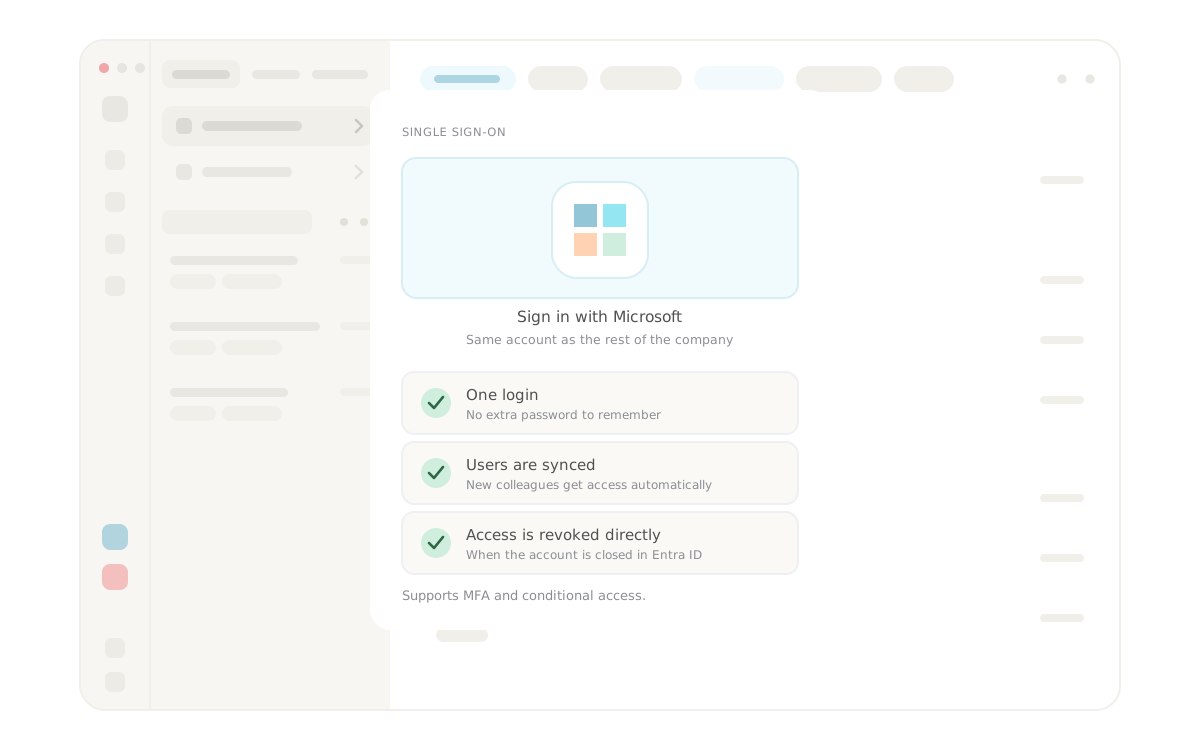


Single sign-on for Lynes, built on Microsoft Entra ID
Microsoft Entra ID SSO is a single sign-on integration that lets your users log into Lynes using their existing Microsoft account. No separate Lynes password to manage, no additional credentials to remember. Users authenticate once through Microsoft and go directly to work.
The feature is built on top of Lynes Entra ID Sync, so if you already use Entra ID Sync for user provisioning, enabling SSO is a configuration step rather than a migration project.
How does Microsoft Entra ID SSO work in Lynes?
Microsoft Entra ID SSO works by routing the Lynes login through Microsoft's identity service. When SSO is enabled, the Lynes login page shows a sign-in option that redirects users to Microsoft for authentication. After verifying their Microsoft credentials, users land directly in Lynes without entering a separate password.
Because authentication runs through Microsoft Entra ID, your existing Azure policies apply automatically. This includes any conditional access rules, MFA requirements, or device compliance checks you already have in place. Lynes does not sit outside these controls.
Who controls the SSO settings?
Administrators manage SSO directly from the Entra ID Sync settings in the Lynes admin panel. No support ticket required, and no coordination with Lynes needed to make the change. The setting can be toggled for the entire organization in one step, or enabled per user for a more gradual rollout.
Once org-wide SSO is active, users signing into Lynes are routed through Microsoft authentication by default. There is no separate switch to configure per feature or per application area within Lynes.
What does Microsoft Entra ID SSO mean for IT security?
Every separate set of credentials is a separate attack surface. SSO reduces that exposure by centralizing authentication through the identity provider your IT team already manages. Fewer passwords means fewer opportunities for credential-based attacks, phishing, and account sprawl across your organization's tools.
Onboarding and offboarding also become more straightforward. A new employee provisioned through Entra ID Sync gets access to Lynes as part of the same process. When an employee leaves, disabling their Microsoft account is enough. Access to Lynes is revoked as part of the same action, with no separate step required in the Lynes admin panel.
Org-wide or per-user activation
Some organizations want to enforce SSO for everyone from day one. Others prefer to test it with a smaller group before rolling it out. Lynes supports both approaches from the same settings panel.
Enabling SSO per user first lets you verify the login experience and catch any edge cases before committing to org-wide activation. Switching to org-wide later is a single configuration change in the same Entra ID Sync settings panel, with no migration or re-authentication required for users already on SSO.
Requirements
- An active Lynes Entra ID Sync integration is required before SSO can be enabled
- SSO is configured from the Entra ID Sync settings in the Lynes admin panel
- Existing Microsoft Entra ID policies including MFA and conditional access apply automatically
- No additional Lynes licence is required to use the feature
Frequently asked questions about Microsoft Entra ID SSO
What is Microsoft Entra ID SSO in Lynes?
Microsoft Entra ID SSO is a single sign-on integration that allows users to log into Lynes using their Microsoft account. It is built on Lynes Entra ID Sync and can be enabled for the entire organization or for individual users, directly from the Entra ID Sync settings in the Lynes admin panel.
Do I need Entra ID Sync before enabling SSO?
Yes. Microsoft Entra ID SSO in Lynes is built on top of Entra ID Sync. The SSO setting lives inside the Entra ID Sync configuration, so the integration must be active before SSO can be turned on. If Entra ID Sync is not yet set up, that is the starting point.
Can I enable SSO for some users and not others?
Yes. Administrators can enable SSO per user from the Entra ID Sync settings panel. This makes a phased rollout straightforward. When you are ready to extend SSO to the whole organization, switching to org-wide activation requires a single configuration change in the same panel.
What happens to Lynes access when a Microsoft account is disabled?
When a user's Microsoft account is disabled or removed in Entra ID, their ability to log into Lynes via SSO is immediately revoked. If the user was also provisioned through Entra ID Sync, their Lynes account is deprovisioned according to the sync settings. No separate action is required in Lynes.
Frequently asked questions and answers
Here we have collected the most frequently asked questions about Lynes' features, pricing and support. Can't find the answer to your question? Do not hesitate to contact our customer service and we will be happy to help you further!
Of course! You can use several operators together with Lynes - choose the one that suits you!
We did! And we are super proud of it. We control the product from start to end.
We store it in Sweden, with all the necessary encryptions.
It works just as well on Windows, macOS, Linux, iOS & Android!
Our app works with several operators in Sweden. Choose and combine amongst our own subscriptions, Telia, Tele2, Tre and Telenor.
Inga FAQs att visa
Related Features
Lynes is packed with innovative features that will turn your client's workday into a breeze. With Lynes, you'll get the latest business phone technology from Sweden. Simply put - a carefree software that's both Lynes to use and simple to administrate.

Ticket management
Phone, email and chat automatically become tickets in Lynes contact center. Workspace has composable filters for custom views, and AI handles transcription and labels in the background.
Ticket management
Phone, email and chat automatically become tickets in Lynes contact center. Workspace has composable filters for custom views, and AI handles transcription and labels in the background.

Analytics
Lynes Analytics is a powerful built-in tool that lets you track performance in real time — from queued calls to average response times — giving you instant insights into your response groups.
Analytics
Lynes Analytics is a powerful built-in tool that lets you track performance in real time — from queued calls to average response times — giving you instant insights into your response groups.

Auto Labels
Auto labels automatically mark important calls, send alerts and give you instant visibility. Also works for personal numbers and manual tagging.
Auto Labels
Auto labels automatically mark important calls, send alerts and give you instant visibility. Also works for personal numbers and manual tagging.

Conversation Intelligence
Med Conversation Intelligence behöver du aldrig mer glömma viktiga detaljer från ett samtal. Vi spelar in, transkriberar och summerar alla era samtal så att du enkelt kan söka fram informationen!
Conversation Intelligence
Med Conversation Intelligence behöver du aldrig mer glömma viktiga detaljer från ett samtal. Vi spelar in, transkriberar och summerar alla era samtal så att du enkelt kan söka fram informationen!

AI telephonist
With Lynes AI telephonist, you'll never miss a call again. It responds, informs, relays or takes messages. Fully automatic, even when no one is in place!
AI telephonist
With Lynes AI telephonist, you'll never miss a call again. It responds, informs, relays or takes messages. Fully automatic, even when no one is in place!

Wallboard
Visualize your data and make it available on one or more wallboards. We let you customize each wallboard and populate it with the response groups and data you desire!
Wallboard
Visualize your data and make it available on one or more wallboards. We let you customize each wallboard and populate it with the response groups and data you desire!
.svg)
Ticket management
Phone, email and chat automatically become tickets in Lynes contact center. Workspace has composable filters for custom views, and AI handles transcription and labels in the background.
Ticket management


Telefoni
Take your telephony to the next level when you connect your response groups to the Lynes Contact Center. This gives you access to tons of smart functionality designed to improve your service.
Telefoni

.svg)
Workday settings
Make your workday smoother with Lynes’ smart workday settings. Always have the right reference in the app, stay organized, and work more efficiently throughout your day.
Workday settings
Contact Us
Collaboration tool or a phone system? Lynes is both.
Lynes is not just a great collaboration tool for your business. Or a awesome phone system. Lynes are both. It allows you to hold video meetings, receive calls, chat with colleagues and customers and share documents - all in the same workflow.
A selection of our customers


Interested? Talk with us today.
The form only appears on the live page
The form only appears on the live page
The form only appears on the live page